Cloud 44 Manuale Utente Pagina 2

  • Scaricare
  • Aggiungi ai miei manuali
  • Stampa
  • Pagina
    / 13
  • Indice
  • SEGNALIBRI
  • Valutato. / 5. Basato su recensioni clienti
Vedere la pagina 1
Brightcove Video Cloud Professional/Enterprise
inplayer 2014 | Confidential
+44 20 35886239
Note: If you have a Brightcove Video Cloud Express Account, please
proceed to this link for the instructions
http://static.inplayer.com/pdf/inplayer/BRIGHTCOVE_EXPRESS_PLAYLIST
S_INSTRUCTIONS.pdf
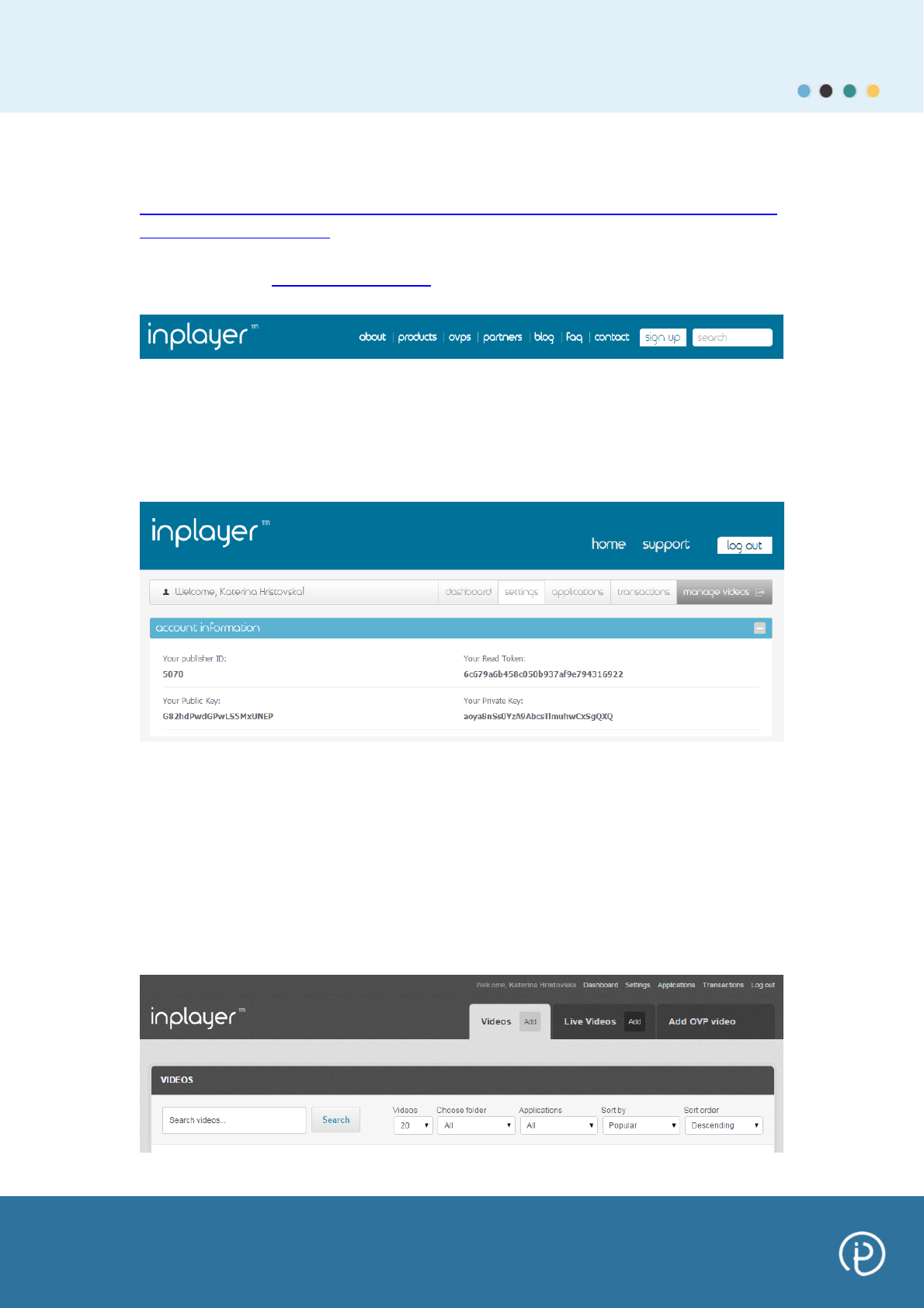
Step 1: Go to www.inplayer.com and login as a publisher.
Step 2: You will be redirected into your publisher control panel.
There are five different management sections: Dashboard, Settings,
Applications, Transactions and Manage Videos.
Click on Manage Videos button.
You will be redirected into a section where you can find all your videos
referenced or add new videos.
Step 3: Referencing Brightcove Videos
Click on the ‘Add’ button (Videos or Live Videos tab) as it is shown in the
picture below and reference your desired Brightcove videos into your
InPlayer control panel.
Vedere la pagina 1
1 2 3 4 5 6 7 ... 12 13

Commenti su questo manuale

Nessun commento